How to choose an e-reader
E-readers all look alike in the store, but the small differences matter once you read on one every day. Here is what to compare, in plain English.
On this page
An e-reader is a small device made mainly for reading books. Unlike a tablet, most e-readers use a special screen that looks a lot like paper. If you are thinking about buying one for yourself or a child, this guide explains the features that actually make a difference, so you can compare models without getting lost in the specs.
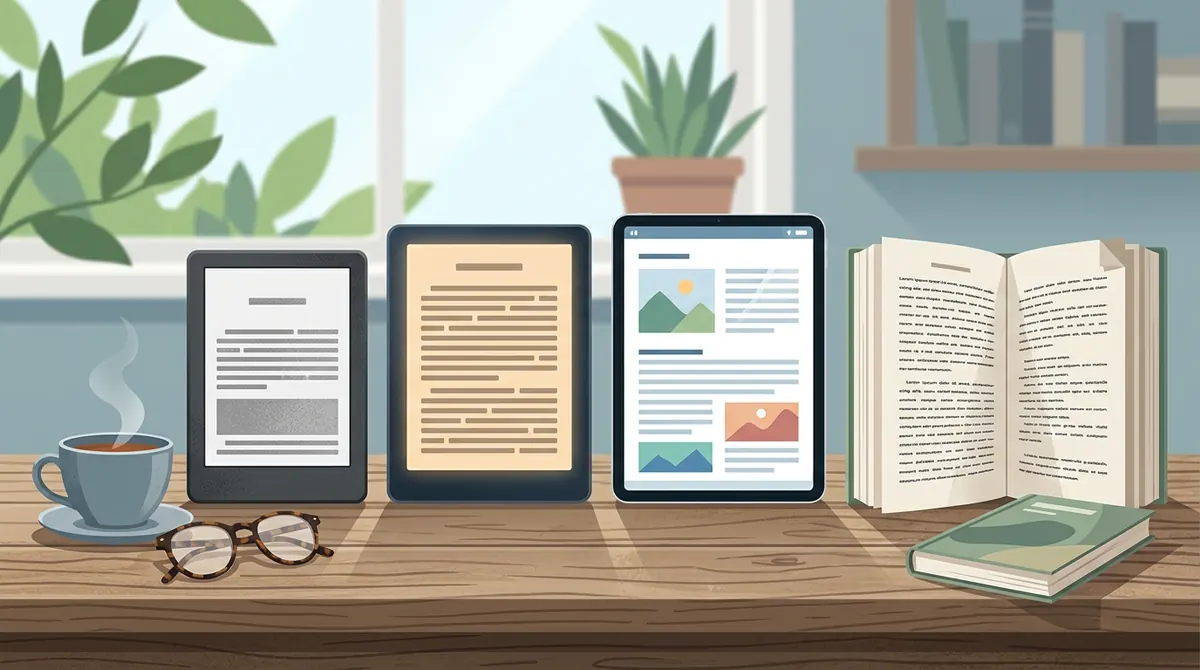
E-reader or tablet?
The first choice is between a dedicated e-reader and a tablet.
| Feature | E Ink e-reader | Tablet |
|---|---|---|
| Screen | Paper-like, not backlit | Bright, full-color, backlit |
| Reading in sunlight | Easy | Often hard because of glare |
| Battery | Usually weeks per charge | Usually a day or so |
| Distractions | Few or none | Games, videos, apps, notifications |
| Picture books and comics | Black-and-white on most models | Great in full color |
If you mostly read novels and chapter books, an E Ink e-reader is usually the better reading tool. If you want color picture books, comics or magazines, or you want a device that does many things, a tablet may suit you better. Some newer e-readers have color E Ink screens, but the colors are softer than on a tablet.
Screen size
Most e-readers have screens around 6 to 7 inches, which is close to a paperback page. Larger models around 8 inches and up show more text per page and work better for PDFs and larger fonts, but they cost more and are less pocketable. For kids and for reading on the go, a smaller screen is often easier to hold.
Front light and warm light
Most modern e-readers have a front light, which shines softly across the screen so you can read in the dark. This is different from a tablet's backlight, which shines toward your eyes.
Many models also offer warm light, which lets you shift the screen from white to an amber tone. Many people find warm light more comfortable at night. See our guide to reading comfortably on screens for more eye-comfort tips.
Waterproofing
Some e-readers are waterproof or water-resistant. That matters if you like to read in the bath, by the pool or at the beach, and it is a nice bonus for kids who are not always careful with drinks. Check the device's rating; models labeled IPX7 or IPX8 are designed to survive being dropped in fresh water.
Storage
Ebooks are small files, so even a basic e-reader holds hundreds or thousands of books. More storage matters mainly if you also want audiobooks or large comic and PDF files.
The ebook store and ecosystem
This is the most important choice, and it is easy to overlook. Each e-reader brand works best with its own ebook store.
- Kindle devices are made by Amazon and buy from the Kindle Store.
- Kobo devices buy from the Kobo store.
- Other brands may use their own store or let you add books from many places.
Books bought in one store usually cannot be moved to another brand's device because of copy protection, called DRM. Read DRM explained and ebook formats explained to understand why. If you already own many ebooks from one store, sticking with that brand is usually easiest. Our guide to where to buy ebooks compares the main stores.
Library ebooks
You can borrow ebooks free from many public libraries using the Libby app by OverDrive. How this works on an e-reader depends on the brand:
- Kobo e-readers have OverDrive library borrowing built in, so you can borrow directly on the device.
- Kindle e-readers in the United States can receive many library ebooks from Libby through a "Read with Kindle" option, though not every title is available that way.
- Tablets and phones can run the Libby app directly.
If borrowing from the library is important to you, check how it works on the model you want. See free ebooks, legally for more.
Audiobooks
Some e-readers can play audiobooks through Bluetooth headphones or speakers. If your family listens to audiobooks, check whether the model supports them and which store they come from. Our audiobooks vs ebooks guide can help you decide what your family needs.
E-readers for kids
Many families choose an e-reader for kids because it offers fewer distractions than a tablet. Look for:
- Parental controls that limit store purchases and web browsing.
- A sturdy case, since kids drop things.
- Kid profiles or kids' editions, which some brands offer.
- A screen size that fits small hands.
For picture books, a tablet is usually better because of color. For chapter books, an e-reader is great. See ebooks for kids and the best kids' ebooks by age.
A quick checklist before you buy
- Will I mostly read novels (e-reader) or color books and comics (tablet)?
- Which ebook store do I already use?
- Do I want to borrow library ebooks on the device?
- Do I read at night (warm light) or by water (waterproof)?
- Is it for a child (parental controls, sturdy case)?
- What size feels comfortable in my hand?
Answer those, and the right model usually becomes clear. Prices change often, so compare current prices from a few retailers before you buy.
Questions
Is an e-reader better than a tablet for reading?
For long reading sessions, many people prefer E Ink e-readers because the screen looks like paper, works in sunlight and has fewer distractions. Tablets are better for color picture books, comics and magazines.
Can I borrow library books on an e-reader?
Often, yes. Kobo e-readers have OverDrive library borrowing built in, and in the United States many library ebooks from Libby can be sent to a Kindle. Check your library and your device.
Can I move ebooks between a Kindle and a Kobo?
Usually not. Most store-bought ebooks have copy protection that ties them to that store's devices and apps.
Is an e-reader good for kids?
For chapter books, yes. E-readers have fewer distractions than tablets. Look for parental controls and a sturdy case. For picture books, a tablet's color screen is usually better.
Sources
Checked November 20, 2026.